See your words arrive
A quiet overlay keeps your transcript in sight. Finish speaking, and Vox inserts the result into your text field.
A little less typing. A little more you.
Your thoughts, already written.
Speak into your messages, documents, and next big idea.
Keep your words. Find your flow.
Windows 11 · Native app · Local dictation is free
From thought to text
A quiet overlay keeps your transcript in sight. Finish speaking, and Vox inserts the result into your text field.
Keep your wording, clean up the hesitations, or polish a draft with cloud writing tools. You choose the level of editing.
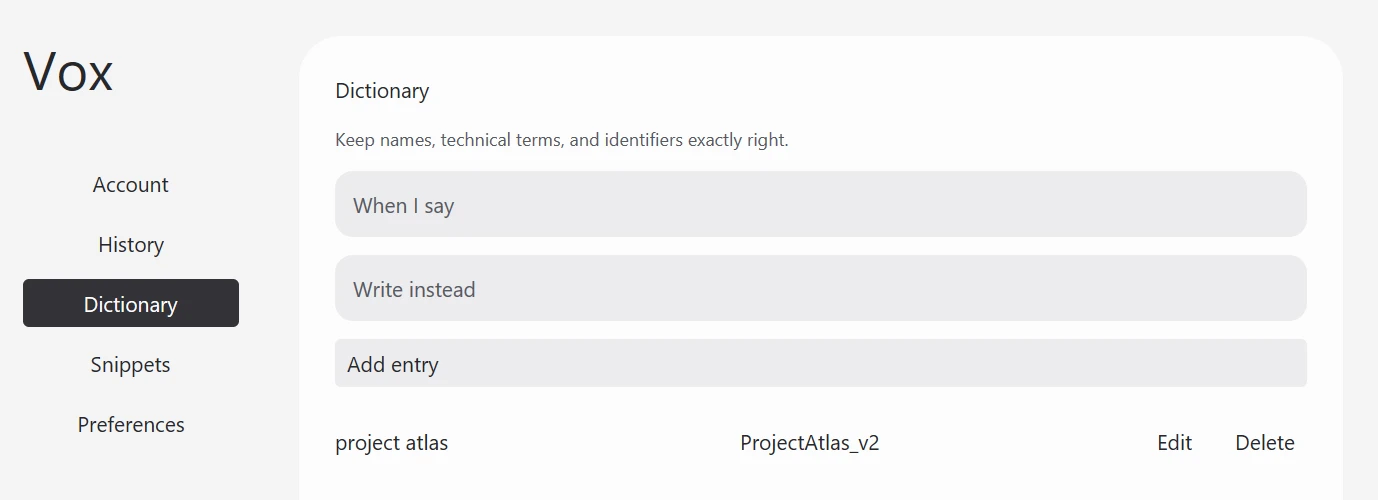
Your names, project terms, and everyday phrases belong in your dictionary. Spoken snippets take care of the text you repeat.
Your computer. Your choice.
Download the recognition model and dictate without sending audio to a server. Your dictionary and snippets stay with you.
707 MiB model download. Optional writing tools process text only.
Dictation remains on your PC. With consent, Vox can send transcript text for cleanup or rewrite the passage you select.
Requires consent and internet. Audio stays on your PC.
Start with your voice
Free
For words that stay on your computer.
$9 / month
For dictation with an editing partner.
USD, before applicable taxes. Cloud includes $2 of provider usage per calendar month; the free practice allowance is $0.10. Unused allowance does not roll over. Manage or cancel through Stripe.
A short guide helps you choose your microphone, shortcut, languages, and writing style.